Livongo and myStrength are now Teladoc Health

Teladoc Health has been the global leader in virtual care for more than 20 years. Now that Livongo and myStrength are part of Teladoc Health, we’re even stronger—with members like you inspiring what we do.

Questions?

We’re here to help.

Just contact us at membersupport@livongo.com
or call 800-945-4355.

Discover what this means for you—and explore all your new features

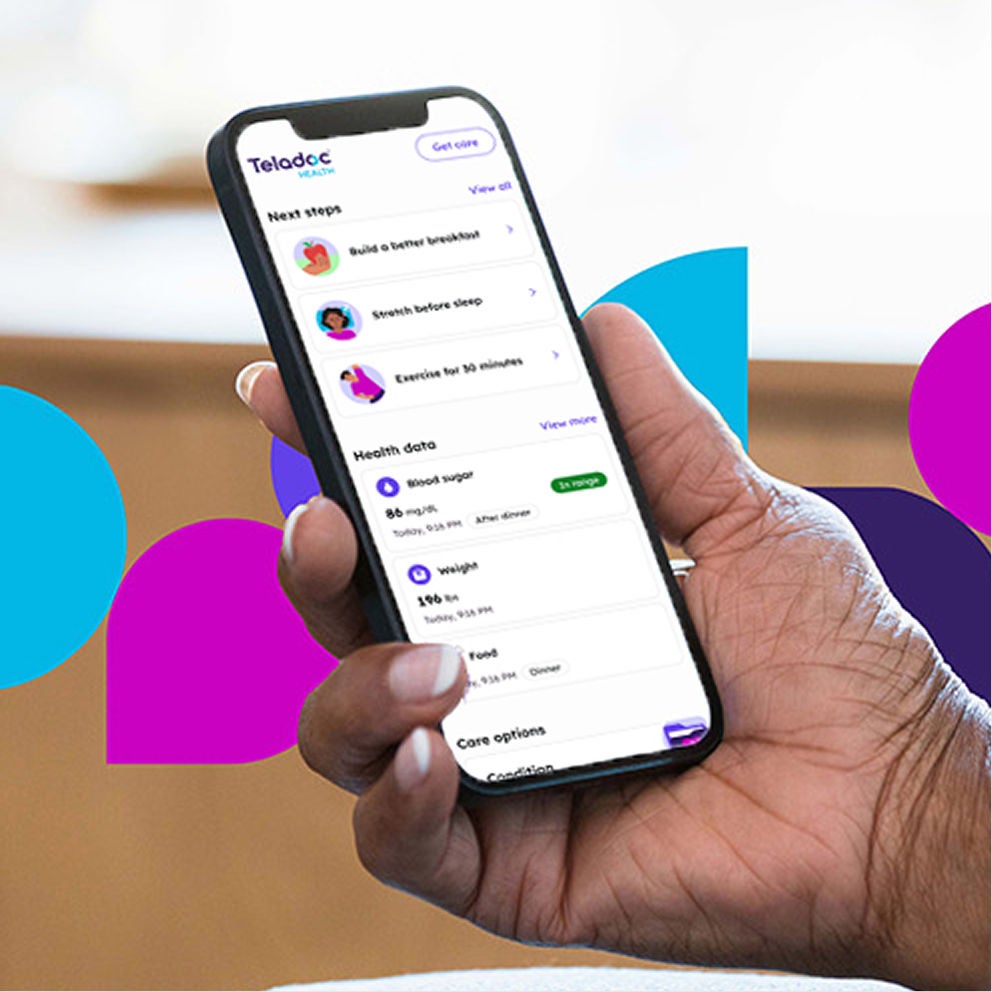
Your account will soon be moving to the Teladoc Health app and website. You’ll keep everything you love about myStrength and Livongo:  your devices, programs, features and support. We’ll let you know when it’s time to move.
Moving your account is quick and easy

Mobile screen

1

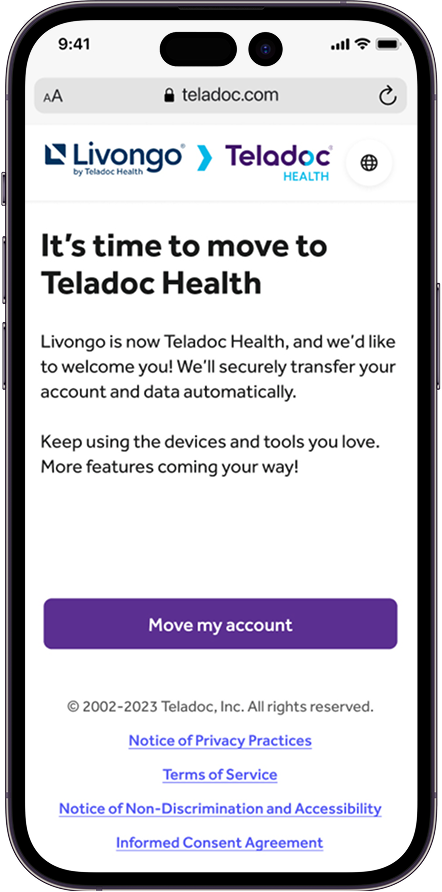
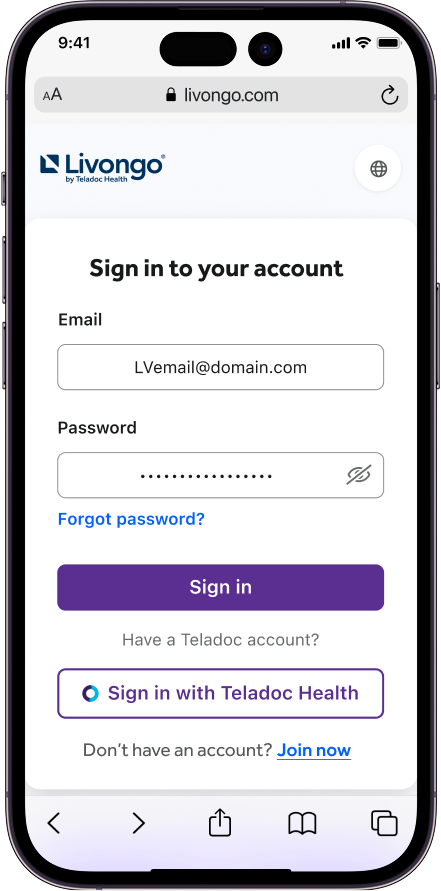
Once you get your email or text that it’s time to move, sign in to your Livongo or myStrength account.

Mobile screen

2

A screen will confirm your account is moving to Teladoc Health. Select “Move my account.“

Mobile screen

3

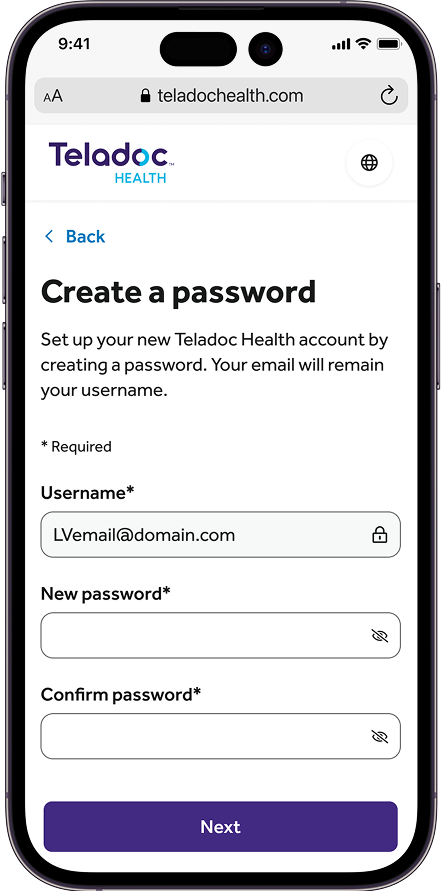
Follow the password instructions, then select “Next“ to finish. You’re all set!

Still have questions?

  • Teladoc Health is the global leader in virtual care. Our goal is to make access to healthcare easier for people everywhere. From primary care to chronic condition and mental health management, we aim to make access to quality care and support available for all of life’s needs.

  • We’re making this change to bring all our health services together. By consolidating our health systems, Teladoc Health can offer you more connected care, innovative solutions and easier access to a wide range of services—all designed to improve your overall health experience.

  • You will receive an email from Livongo, myStrength or Teladoc Health with instructions when it is time to move your account. 

  • Your existing coverage and program options will not change. You will be able to access the same Livongo and myStrength programs through Teladoc Health.

  • Yes, your information will be transferred automatically and securely. Please take a moment to review and update your account settings. You can find your account settings in the top-right corner of the website or through the account button at the bottom of the app. If you have questions or concerns, contact us at membersupport@livongo.com or 800-945-4355.

  • Sign in to your account on the Teladoc Health website or app. Select “Go to programs” from the Condition Management tile on your home page. Or, select “Condition Management” from the “Programs” option in the menu bar. You’ll be able to view all of your logged data. If you have questions or concerns, contact us at membersupport@livongo.com or 800-945-4355.

  • The Teladoc Health app and website have a new look and feel, but your personalized programs and preferences will still be available. Take a moment to review your account to update your address, phone number and settings. To update your account, look in the top-right corner of the website and the buttons at the bottom of the app to access your settings.

  • If you already have a Teladoc Health account, you can use your existing password. If you don’t already have a Teladoc Health account, you must create a new one.

  • If you forget your Teladoc Health password, click the “forgot password” link below the sign-in area and follow the directions to reset your password. 

    If you forget your myStrength password, click the “forgot password” link below the sign-in area and follow the directions to reset your password. 

    If you forget your Livongo password, click the “forgot password” link below the sign-in area and follow the directions to reset your password.

  • If you are eligible for coverage from multiple sources, we’ll let you know. A pop-up message on your home screen will guide you to billing and coverage. You can also get to billing and coverage from your account menu. Once there, select “Add coverage” at the top of the screen or at the bottom of the coverage section. Confirm you want to add the additional coverage. You may have the same program options offered by more than one of your coverage sources. If so, you’ll be asked to choose which coverage to display on your home screen. After saving your selection, a success message will appear to let you know the coverage has been added. Please note that you can only switch your coverage one time, and you may see a pop-up message notifying you of this limitation when you attempt to switch.

  • We’re excited to introduce you to the Teladoc Health app! While the Livongo and myStrength apps will no longer be available once your account moves, the Teladoc Health app offers the most up-to-date features and more. Download the Teladoc Health app to continue using your same programs and devices. 

  • To access your chronic condition programs, log in to your account on the Teladoc Health website or app. Then, choose “Condition Management” and “Go to programs.” To access myStrength, choose “Mental Health” and “Go to program,” and then choose “Explore your program.” If you have questions or concerns, contact us at membersupport@livongo.com or 800-945-4355.

  • The Teladoc Health app and website have a new look and feel, but your personalized programs and preferences will remain the same. Our program helps manage diabetes by providing tools and support to track your blood sugar levels, medication and lifestyle habits. Our programs offer personalized coaching and resources to help you stay on track with your diabetes management. 

  • No, you will not lose your weight data with the migration. All of your data will be securely transferred. If you notice any missing data, please contact us at membersupport@livongo.com or 800-945-4355.

  • If you can’t access your account after the migration, try resetting your password using the “Forgot Password” link on the sign-in page. If you still have trouble, contact us at membersupport@livongo.com or 800-945-4355.

paver
paver

Questions?
We’re here to help.

Contact us at membersupport@livongo.com or call 800-945-4355.